
When I wrote about AMD's Ryzen AI NPU in February 2026, the hybrid execution story was partly aspirational. The hardware was real — the XDNA 2 NPU in the Ryzen AI 300 series delivers genuine AI acceleration — but the software stack on Linux had gaps, the model support was limited, and the path from "I have an NPU" to "my AI agents are using it" required patience and manual configuration that most practitioners were not willing to invest.
That picture has changed meaningfully. Lemonade Server 11.0 shipped hybrid NPU+iGPU execution with Linux support. GAIA, AMD's open-source agent framework, now runs on Ubuntu and Debian with NPU acceleration behind a single initialization command. And the official Ryzen AI Software 1.7.1 model table lists 38 pre-quantized models that run through the hybrid pipeline today.
I want to give an honest account of what this means — what is real, what remains constrained, and where the path still has only one door.
What Hybrid Execution Actually Does
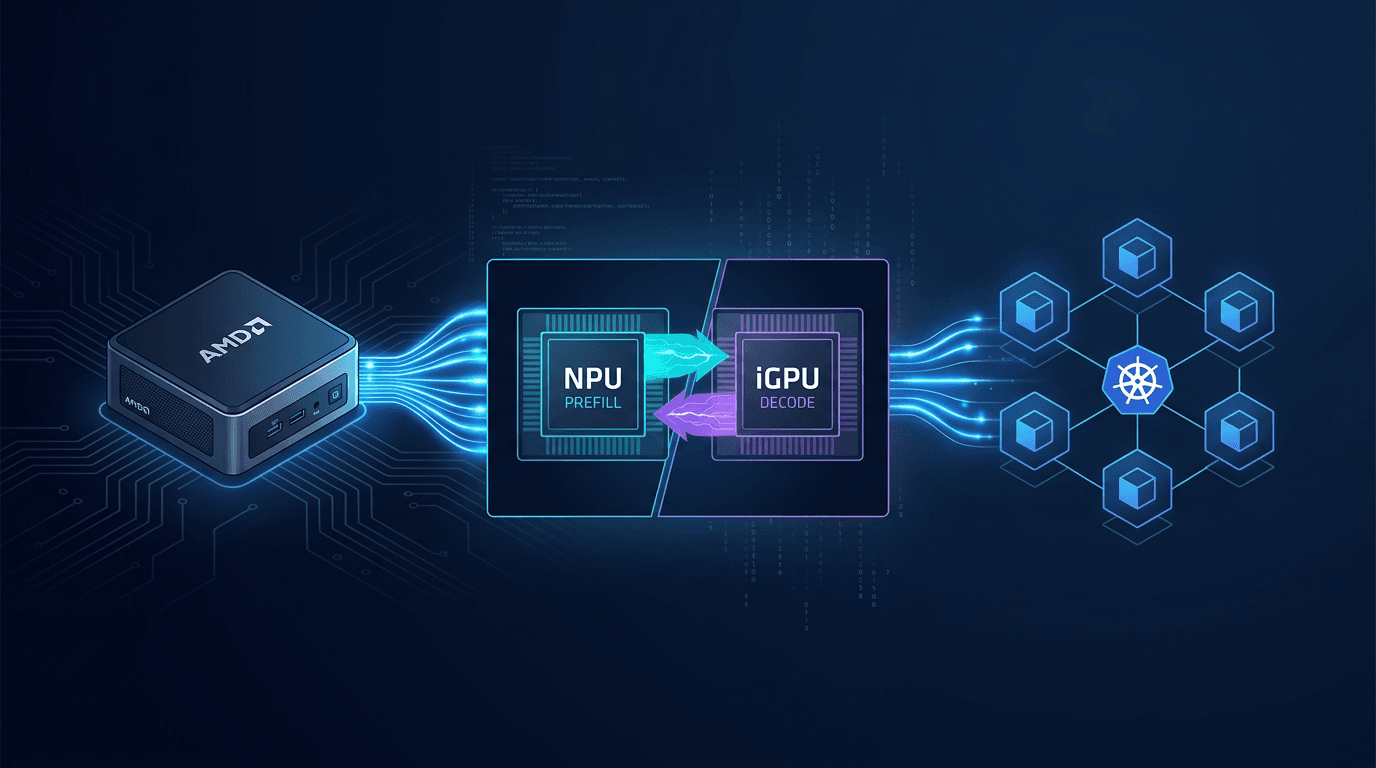
The hybrid execution model in Lemonade 11.0 splits LLM inference across two chips: the XDNA 2 NPU handles the prefill phase, and the integrated GPU (RDNA 3.5 iGPU) handles token generation. This is not an arbitrary division. It maps to the performance characteristics of each chip.
Prefill — processing the input prompt and building the KV cache — is a compute-bound operation that benefits from the NPU's dedicated matrix multiply units. The NPU does this faster and more power-efficiently than the iGPU for the prefill workload.
Token generation — the autoregressive decode loop that produces one token at a time — is a memory-bandwidth-bound operation. The iGPU, which shares the high-bandwidth unified memory pool with the CPU, is better suited for this phase than the NPU's more narrowly optimized compute units.
The result: faster time-to-first-token (NPU handles prefill quickly) combined with competitive sustained throughput (iGPU handles decode with adequate memory bandwidth). For an agentic workflow where the agent submits tasks, waits for context processing, and then needs a stream of output tokens to act on, this split maps well to the actual latency profile of the workload.
The Linux Story: GAIA and FastFlowLM
Until recently, GAIA — AMD's open-source Python framework for building 100% local AI agents — was a Windows-first project. Linux users could run Lemonade Server directly, but the GAIA agent framework with its tool orchestration, RAG, voice, and vision capabilities was not available on the platform most sovereign AI infrastructure runs on.
That changed. GAIA now officially supports Ubuntu and Debian. The NPU acceleration path on Linux runs through the FastFlowLM (FLM) backend, which auto-installs as part of the Lemonade 11.0 installation. The requirement is kernel 6.17 or higher — a version that is now current for Ubuntu and Debian users running up-to-date systems.
Setup on Linux has been reduced to a meaningful degree of simplicity:
gaia init --profile npu
This command installs the FLM backend, configures the environment for NPU-native model execution, and bypasses the default GGUF pre-loads that are optimized for CPU/GPU inference rather than the OGA pipeline that hybrid mode requires.
For practitioners running Kaigents or similar Kubernetes-native agent platforms on AMD hardware, GAIA represents a local agent execution option that stays entirely within the sovereign perimeter — no cloud API, no third-party inference, no data leaving the cluster.
The 38 Models: What Actually Runs in Hybrid Mode
The Ryzen AI Software 1.7.1 documentation publishes an explicit model table. These are the models AMD has pre-quantized and validated for the OGA pipeline — they are available via lemonade pull and will run in hybrid mode on Ryzen AI 300/400/Max 300 series hardware without any quantization or compilation work on your part.
The hybrid-capable models cover the families you would actually reach for in a production agentic workflow:
Llama family: Llama-2-7B (chat and base), Meta-Llama-3-8B, Llama-3.1-8B (and Instruct), Llama-3.2-1B and 3B (and Instruct variants), CodeLlama-7B-Instruct.
DeepSeek reasoning distills: DeepSeek-R1-Distill-Llama-8B, DeepSeek-R1-Distill-Qwen-1.5B, DeepSeek-R1-Distill-Qwen-7B. These are the distilled reasoning models, not the full DeepSeek V4-Pro — a distinction that matters and that I will cover in a separate article this week.
Phi: Phi-3-mini-4k-instruct, Phi-3-mini-128k-instruct, Phi-3.5-mini-instruct, Phi-4-mini-instruct, Phi-4-mini-reasoning. The Phi-4 reasoning variant is notable — a capable reasoning model in the hybrid pipeline is directly useful for agentic task decomposition.
Qwen: Qwen2-1.5B, Qwen2-7B, Qwen2.5 across 0.5B/1.5B/3B/7B (including Instruct variants), Qwen2.5-Coder in 0.5B/1.5B/7B variants, and the new Qwen3 series at 1.7B, 4B, and 8B. The Qwen3-8B in hybrid mode is currently the largest model in the pipeline.
Mistral: 7B-Instruct v0.1/v0.2/v0.3 and 7B-v0.3 base.
Others: gemma-2-2b, AMD-OLMo-1B-SFT-DPO, chatglm3-6b.
The Constraints You Need to Know
The hybrid pipeline has real limitations that are worth stating plainly before you build a workflow around it.
Maximum model size is 8B parameters. The OGA pipeline and the unified memory architecture of current Ryzen AI hardware cap the hybrid-capable models at 8 billion parameters. For tasks where a 7B or 8B model is adequate — structured extraction, code generation for known patterns, classification, document processing, agentic task routing — this is not a meaningful constraint. For tasks requiring the reasoning depth of a 30B or 70B model, the hybrid pipeline is not the right tool. You route those to a different inference tier.
Context length is capped at 4K tokens for all hybrid models. This is the most significant practical constraint for agentic workflows. A 4K context window is adequate for focused, bounded tasks but insufficient for workflows involving long documents, extended conversation history, or multi-step reasoning chains that accumulate substantial context. AMD-OLMo is capped at 2K; gemma-2-2b at 3K.
The NPU path requires OGA. You cannot use the NPU in hybrid mode through llama.cpp, Ollama, or any non-OGA inference backend. llama.cpp via ROCm 7 now has pre-built binaries for gfx1150/gfx1151 (the Ryzen AI 300 iGPU architectures) that enable full layer offloading to the iGPU — this works and delivers meaningful performance improvement over CPU-only inference. But it is iGPU-only, not hybrid. The NPU stays idle.
Ollama's NPU support for Ryzen AI remains an open GitHub issue (issue #5186) with no committed timeline.
Which Hardware to Buy: Halo, MS-S1 Max, or GMKtec EVO-X
The hybrid execution story applies to any device carrying the Ryzen AI Max+ 395 — the chip is the same across every machine I am about to describe. What differs is the price, the expansion options, the networking, and what AMD's involvement means for long-term Linux support. For practitioners considering a hardware purchase to run this stack, the choice is not obvious.
AMD Ryzen AI Halo — $3,999 (Micro Center exclusive) The Halo is AMD's own reference design: the same Max+ 395 chip, 128GB LPDDR5X-8000 unified memory, 2TB NVMe, and 10GbE networking in an AMD-branded chassis. The Linux availability is not an accident — AMD specifically positioned this as a developer platform and ships it with Linux as a first-class option. The value of the AMD brand here is not marketing; it is a guarantee that AMD's own driver team is testing against this exact hardware configuration. When kernel updates or Lemonade releases create compatibility issues, AMD is accountable for the Halo in a way they are not accountable for third-party designs using their chip.
The disadvantage is real: $3,999 is approximately twice the price of the Minisforum equivalent for identical inference capability. There is no PCIe expansion slot. And Micro Center exclusivity means it is not straightforwardly available globally or for corporate procurement. If you are a solo developer or a small team building on sovereign infrastructure and you want a clean, supported experience, the Halo is defensible. If you are building a cluster of nodes, paying the AMD premium for each one is difficult to justify.
Minisforum MS-S1 Max — ~$1,500–$2,500 for 128GB The MS-S1 Max carries the same Max+ 395 chip and runs up to 128GB of soldered LPDDR5X-8000. Where it diverges from the Halo is in two practical ways that matter for cluster builders: it has a PCIe x16 slot (wired as x4) for adding NICs, storage controllers, or acceleration cards, and it officially supports 2U rack mounting for AI cluster deployment. The dual 10GbE is standard across most configurations.
At roughly half the Halo's price for the same inference capability, the MS-S1 Max is the more defensible choice for a multi-node sovereign stack. The ServeTheHome review called it the best Ryzen AI Max mini-PC yet, specifically noting its cluster-suitability. If you are building a heterogeneous cluster — HX370 nodes for lightweight tasks, Max+ 395 nodes for heavy inference — the MS-S1 Max gives you the Max+ 395 tier without paying the Halo premium.
The tradeoff is third-party hardware: Minisforum's Linux support depends on the community and AMD's upstream driver work, not on Minisforum's own engineering. In practice, this has been adequate for Ryzen AI hardware. The risk is that it is adequate rather than guaranteed.
GMKtec EVO-X2 / EVO-X3 — $1,999 / $3,799 The EVO-X2 carries the same Max+ 395 chip at a price point between the MS-S1 Max configurations. The networking limitation is significant for cluster use: the EVO-X2 has 2.5GbE rather than 10GbE, which creates a bottleneck for multi-node inference workloads that move data between nodes. For a standalone developer machine, 2.5GbE is adequate. For a cluster node that serves inference requests from multiple Kaigents agents simultaneously, it is not.
The EVO-X3 is more interesting: it adds an OCuLink Gen 4 port at $3,799. OCuLink enables connecting an external GPU enclosure — attach a Radeon RX 7900 XTX with 24GB of VRAM and you have a node that can run 70B+ parameter models via llama.cpp-rocm at practical inference speeds, while the Max+ 395's iGPU handles smaller models in hybrid mode. This is a genuinely different capability profile from the Halo or the MS-S1 Max. The EVO-X3 with an eGPU is not a compact sovereign inference node; it is a small workstation with discrete GPU compute attached. If your workload specifically requires that configuration, the EVO-X3 + eGPU makes sense. If you are optimizing for dense cluster nodes, it adds complexity and cost that the MS-S1 Max avoids.
Your HX370 Nodes — The Right Tier for Lighter Work The Ryzen AI 9 HX 370 in your existing nodes is a different chip from the Max+ 395 — Strix Point rather than Strix Halo. The practical difference is memory: up to 64–96GB of upgradeable DDR5 SO-DIMM versus the Max+ 395's 128GB of soldered LPDDR5X. The memory bandwidth of the HX370 is also lower, which becomes the binding constraint for larger model inference.
Where the HX370 nodes remain the right choice is exactly the Tier 1 workload profile I described: hybrid OGA inference on 7B and 8B models, routing decisions, classification, structured extraction. These tasks do not need 128GB of unified memory. They do not need the memory bandwidth of the Max+ 395. They need fast, low-latency, power-efficient inference on models that fit in the OGA pipeline — and the HX370 does that well at a fraction of the Max+ 395 cost.
The cluster architecture that makes sense given your existing hardware: HX370 nodes serving as the lightweight inference tier (Tier 1, hybrid OGA, ≤8B models, ≤4K context), and Max+ 395 nodes — MS-S1 Max is the practical choice here — as the heavy inference tier (Tier 2, ROCm iGPU, 30B–70B models via llama.cpp-rocm, extended context). The Lemonade model router or a tool like nexus-llm-router (which I cover in a companion article this week) handles routing between tiers based on task type and model requirements.
You do not need to replace the HX370 nodes. You need to add the right tier above them.
The Architectural Implication
For a sovereign stack designed around AMD Ryzen AI hardware, the practical architecture that emerges from this picture is a two-tier inference setup:
Tier 1 — Hybrid OGA (Lemonade/GAIA): Small models (≤8B, ≤4K context) for high-frequency, bounded agentic tasks — routing decisions, document classification, structured extraction, code generation for known patterns, tool selection. Fast time-to-first-token, power-efficient, fully sovereign.
Tier 2 — iGPU ROCm (llama.cpp-rocm) or CPU: Larger models or longer contexts where the OGA constraint is binding. Slower, but capable of handling the 30B and 70B models that the hybrid pipeline cannot.
For Kaigents workflows specifically, this maps naturally to the agent hierarchy: lightweight router agents and task decomposition agents run in Tier 1 via the hybrid pipeline; complex reasoning agents that need extended context or larger model capacity run in Tier 2.
The Honest Assessment
AMD has made the sovereign agentic stack meaningfully more capable in the past several months. GAIA on Linux is a real change — it means the full agent framework is available on the platform where production infrastructure actually runs. The 38 pre-quantized hybrid models eliminate the quantization and compilation work that previously made this path impractical for most teams. And the NPU+iGPU split genuinely improves inference performance for the workloads it covers.
The constraints — 8B parameter ceiling, 4K context cap, OGA-only NPU path — are real and will shape what you can do with this stack today. They are also the constraints that the next generation of Ryzen AI hardware and Lemonade releases are most likely to address. The trajectory is right. The window for the current hardware generation is specific.
Know what runs through the one door. Build the workflows that fit through it. Route the rest to the tier that can handle it.
That is what a production sovereign stack on AMD hardware looks like in July 2026.